Showing posts with label RocketResponder. Show all posts

Monday, August 10, 2015

RocketResponder "Save as Draft" Makes Writing Your Emails More Flexible

At RocketResponder we have always given people the option of sending emails immediately or at some date in the future.


This is important because there are some messages that you will want to get out right away and others that you want to write now but send out at a specific time and date.


Having the flexibility to write and queue up emails in advance is one of the huge benefits of using an automated email service such as RocketResponder.


However there are also times when you start writing an email and realize that you can’t finish it right now.


This might happen, for example, if you:


  • run out of time

  • get called away to do something else urgently

  • realize you don’t have all the information that you need to finish the email

  • find that the inspiration to write is not with you right now.

So with that in mind we have made it easier for you to save your email so that you can return to it at some point in the future with RocketResponder Save as Draft.


RocketResponder Save As Draft


If you have not finished your email then just press the “Save as Draft” button at the bottom of the screen and then come back as soon as you are ready to continue.


We have also made a slight change to the way you queue up emails to be sent in the future.


The default option is to send immediately so if you want your email to go out right away then press the “Send Immediately” button when you are ready.


(However you might want still want to send yourself a test message first. See the post “Why It Is Important To Always Preview Business Emails Before Sending” for more information about why this is a good idea.)


If you want to send at some time in the future then just click the “Edit” hyperlink to the right of “Send Time” and you will be able to enter the date and time you want your email to go out.


Queuing up RocketResponder emails to send at a date and time in the future


When you have selected the date and time you want your emails to be sent then just hit “ok” and, don’t forget that you can now choose to resend emails to those who did not open them first time round. To use this function then check the resend box and enter the resend delay you want (between two and 10 days.)


RocketResponder "Save as Draft" Makes Writing Your Emails More Flexible

Tuesday, June 2, 2015

RocketResponder Digital Library For Email Marketing Guides

email marketing guides - RocketResponder digital library


RocketResponder now has a digital library where you can find all our email marketing guides to help you get the most out of email marketing for your business or organization.


Email marketing is a very versatile tool and the RocketResponder Digital Library is a great resource center to help you grow your business.


We created the guides to let people in specific niches discover exactly how they can use email marketing in their day-to-day activities.


Each guide is specific to the individual niche and gives a number of examples of how RocketResponder’s automated email marketing system actually works.


Our initial guides cover:


  • email marketing for restaurants

  • email marketing for small businesses

  • email marketing for chiropractors and

  • email marketing for real estate agents.

We are currently working on a number of other guides and these will be added to the RocketResponder digital library when they are complete.


Some of the guides in the pipeline include:


  • email marketing for churches

  • email marketing for dentists

  • email marketing for doctors and

  • email marketing for lawyers

Email marketing allows you to really connect with your subscribers who also may be your customers, followers, blog readers, website visitors, supporters or fan club members.


It is easy to build up a list of loyal subscribers as long as you can give them information which they find interesting, useful, informative or amusing.


By building up a relationship with your subscribers you can also promote your own business or organization with offers, announcements or marketing messages.


Email marketing works very well indeed when you know how to do it properly. RocketResponder’s email marketing guides and our digital library help make it easy for you to use email marketing for the benefit of your organization and your subscribers.


RocketResponder Digital Library For Email Marketing Guides

Friday, May 29, 2015

A Look Behind The Scenes At The RocketResponder Video Shoot

When we shot a promotional video recently featuring one of RocketResponder’s clients we also filmed a behind-the-scenes video at the same time.


The action took place during an intense day of filming activity and it was fun.


In fact making this video was so much fun that we didn’t just want to keep it to ourselves…we want to share it with you too.


The promotional video will come later…but, for now, here is how we made it with this look behind the scenes at the RocketResponder video shoot.


RocketResponder Video Shoot 1RocketResponder Lita Sea Glass Promotional Video Shoot 2RocketResponder Lita Sea Glass Promotional Video Shoot 3RocketResponder Lita Sea Glass Promotional Video Shoot 4RocketResponder Lita Sea Glass Promotional Video Shoot


Please watch the video and let us know what you think in the comments section on our YouTube channel. Also be sure to subscribe to the channel and like the video if you enjoyed it.


Wednesday, May 27, 2015

RocketResponder YouTube Channel Is Live

RocketResponder YouTube Channel


We have added a RocketResponder YouTube channel where you will find a selection of videos which you may find useful.


Our lead developer Tim Linden has created a series of videos which explain everything you need to know to get RocketResponder up and running really quickly.


Topics include:


  • how to create a list

  • how to create your follow up series

  • how to get your forms

We worked really hard behind the scenes to make RocketResponder as intuitive and easy to use as possible but any new system can take a little bit of getting used to.


The videos cover the technical aspects of using RocketResponder, because if you’ve never built your own email list even the basics can be confusing.


Take your time, watch the videos as often as you need and you will soon get the hang of managing your lists.


Our customers love RocketResponder, so much so that they are even uploading their own videos on using our email marketing services.


There is a link to some of our customer-created videos on the channel also and these topics include:


  • RocketResponder – set up a list in ten minutes

  • How to space out your email series

  • RocketResponder – how to make a list.

Be sure to check out our channel and subscribe so that you know when there is new content to watch.


Monday, May 18, 2015

When RocketResponder Went To The Beach...

RocketResponder video shoot at West Island Beach, Fairhaven, MA,


On a day trip to the beach it is good to take a photograph or two so you can remember how fun it all was.


When RocketResponder visited West Island Beach in Fairhaven, Massachusetts, yesterday we took great care to ensure that having awesome pictures would not be a problem.


We had stills cameras, video cameras, cameras mounted onto a remote controlled drone which buzzed overhead and a team of talented individuals to make it all work.There were the lights, boom microphones, a professional make up artist and people with clipboards…RocketResponder was on its first video shoot.


We arrived at a virtually deserted beach at 8.30am and I was wondering exactly how it would all work out.


Then over the next hour or so more and more people arrived and our section of beach was a hive of activity.


Soon about a dozen people were attaching cables to equipment, putting cameras on tripods and setting up monitors. Everyone had a task and everyone knew what they were doing.


I spent the day getting in people’s faces and taking close up pictures of other people at work. I love writing but I think, if I am being honest, I love photography more than I love writing.


It was especially great for me being around a small team of real professionals who really knew what they were doing and who were clearly passionate about their work.


Mike Henriques and his crew from Montage Media Productions – Neal, Pamela, Crystal and Myles – could not have been any more professional from start to finish.


Not only did they just have one day to shoot an entire promotional video, they were simultaneously working on a ‘behind the scenes’ video and finding the time to pass on some of their insider secrets to two interns.


Mike said on Facebook that “having a great team is crucial in putting together great productions” and we certainly had a great team for our big day out at the beach yesterday.


Film director Adam Katz ensured everything went exactly to plan, Kristin Greene was superb on makeup while our on-screen talent Carla and Lauren from Lita Sea Glass Jewelry and Carla’s daughter Layla carried out their roles flawlessly.


There is a saying in the TV and film industry that you should never work with children or animals but three-year-old Layla must be the exception to that general rule as she was so natural and at ease in front of a camera that everyone was amazed at how great she was.


I actually arranged my holiday this year so that I could be at this film shoot and I am so glad that I did. It was great meeting so many awesome people and I hope we can get to do it again sometime soon.


When I got back to my laptop after the day at the beach I discovered that I had taken 741 pictures.


Here is a selection of just some of them…


RocketResponder Video Shoot

Found a piece…I will just pick up this sea glass while pretending nobody is filming my every move.


RocketResponder Video Shoot

Getting it right…checking equipment and lighting between shots is critical to ensuring the finished product looks great.


RocketResponder Video Shoot

Concentrated effort…ensuring that everything is just perfect takes a lot of concentration on the task at hand.


RocketResponder Video Shoot

Attention to detail…a new piece of jewelry is being designed in great detail to ensure it looks great.


RocketResponder Video Shoot

Looking good…sea glass jewelry is elegant and each item is unique and stylish.


RocketResponder Video Shoot

Me…me…me. Who would like a go at flying the overhead camera drone next?


RocketResponder Video Shoot

In the air…If you spin me fast enough I might get to fly too.


RocketResponder Video Shoot

Team work…flying the overhead drone, operating the camera and directing the shot takes teamwork.


RocketResponder Video Shoot

Human climbing frame…after a busy day filming there is nothing better than to climb all over adults.


RocketResponder Video Shoot

All smiles…the big day out at the beach went well enough to make Justin smile.


RocketResponder video shoot.

Quick touch up…Make up artist Kristin Greene gets to work during a short filming break.


RocketResponder video shoot.

Reflecting on the day…even on a busy film shoot there is time for a bit of reflection.


RocketResponder video shoot.

Family time…mother and daughter take a few moments to enjoy the beach while on the film set.


RocketResponder video shoot.

Open handed. We would like some sea glass too. Surely there is enough to go round?


RocketResponder video shoot.

Unique…not only does sea glass look great, no two items are the same.


RocketResponder video shoot.

It’s all in hand…make up was always on hand during the beach video shoot.


RocketResponder video shoot.

Getting down to work…camera angles are important and a lot of the close up work was done just inches away from the sand.


RocketResponder Video Shoot

Thirsty work…I know my mouth is here somewhere.


Monday, April 13, 2015

RocketResponder Launches Cool New Responsive Email Editor With 360,000 Free Images

RocketResponder has launched a cool new responsive email editor, which not only ensures that your emails look highly professional, but which works flawlessly across all email clients and on all devices.


This is a huge upgrade for RocketResponder and means you will have total control over how your emails will look for that extra special personal touch that your subscribers will really appreciate.


Not only will your emails look great but the new email editor fully fits in with the RocketResponder ethos of being fun to use and easy to understand.


Now you choose exactly how you display your emails and you can either upload your own images or browse through more than 360,000 free images directly from our email editor. We have integrated RocketResponder with Pixabay to provide you with free, high quality images, vectors and art illustrations that you can use anywhere.


So let’s take a look at how it all works…


When you login to your RocketResponder control panel to send an email to your subscribers you now see a screen which looks like this.


new responsive email editor template system from RocketResponder


Note that there are currently seven templates to choose from but new ones will be added on a regular basis.


The templates are cool, but they are not the coolest part at all…think of them as your starting point but the really cool feature is the total flexibility you now have to be creative with your email design.


Even if you have no design skills, this easy-to-use drag-and-drop system will have you producing professional-looking emails in just minutes.


So choose a template that you like and start having fun…


RocketResponder responsive email editor template example


Here are just some of the really cool features which you will love and will have you looking at the way you send emails in a whole new light…


* There is absolutely no complicated coding to learn or implement.


* Just click on the heading and wording to change it to what you want to say.


* For any elements you don’t need, then just highlight them and delete.


* Click on the pictures to either replace them with your own or choose from the 360,000 images we have available for you.


* Easily add any section from the options in the right hand side by just dragging them over to where you want them to go.


* Make headings, text or pictures clickable with hyperlinks to take your subscribers to the content you want them to see.


* Change font types, text colors, text size and add bullets, lists and buttons with ease.


* Never worry about your emails looking good across all email clients…they just will.


* Never worry about having to optimize your emails for desktops, laptops, smartphones or tablets…we have taken care of that for you already.


* One touch email preview function. See exactly how your email will look before you send it.


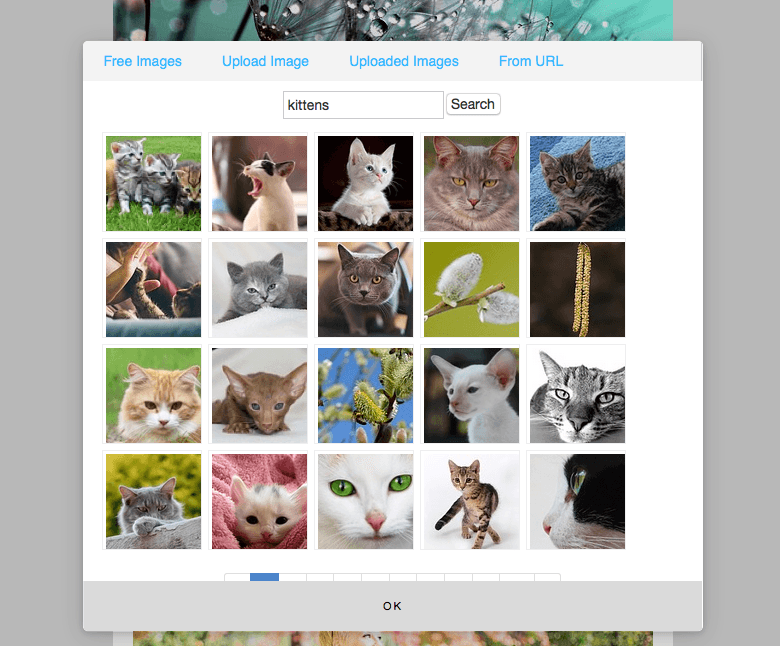
Here is a quick look at the awesome image editor. Let’s say you want to replace the standard image with one of a cute kitten…so you click on the picture, press the camera icon and search for the word ‘kittens.’


Search for


Or maybe ‘chocolate cake’


Or ‘furniture’…


I think you get the idea…now choose an image you want, edit the text next to it and you are all set.


This is what you might do for example if you have written a blog post about exotic pets…


Default view…


Using the RocketResponder responsive email editor.


Your version…


Using the RocketResponder responsive email editor is easy


Make the image, the headline or part of the text clickable to your subscribers are taken directly to your blog and watch your views get a massive boost.


All you have to worry about is working out what message you want to get across to your subscribers and soon you will be sending out the most eye-catching emails you have ever produced.


Best of all there is no steep learning curve. We have taken a great deal of time to ensure that this is as intuitive and easy to use as is humanly possible.


Reading about the new RocketResponder responsive email editor on a blog post is one thing, but actually using it for yourself is a whole new experience you will not want to miss out on. Log in today and try it for yourself.


Friday, March 27, 2015

Seven Top Tips To Help Ensure Your Emails Avoid Spam Filter

Avoid Spam FilterWhen we write an email we want it to get seen. We want people to see it, open it, read it and take action on it if appropriate.

The very last place we want our words of wisdom to go is into someone’s spam or junk folder but sadly this happens from time to time because spam filters can sometimes catch some good emails as they try and filter out the bad.


Here at RocketResponder we want to ensure your emails get seen by the people who signed up to your list so here are our seven top tips to ensure that you avoid spam filter and ensure your message gets across to the people on our list:


  1. Stop using aster*sks in your emails. The only possible reason you might have to use asterisks in your emails is to try and trick the spam filters. Just write your content for the people you are aiming for and don’t try to beat the system. Normal people never spell ‘free’ as ‘fr*e’ – I know this, you know this and the people who came up with the spam filters know this. Spam filters flag your email harshly if there are asterisks within words. Saying ‘fr*e’ is far worse than saying ‘free.

  2. Understand email has changed. All the major providers understand that most emails come from the top 10 providers. They don’t base delivery on the provider. They now base delivery on the individual sender. This is why some emails will go to the inbox and others to spam when the email is sent on the same provider. So the major thing to take back from this is you need to have a good personal reputation.

  3. Don’t send from a yahoo address. Yahoo made a change to their email policies which tells every receiver that if Yahoo didn’t send it to mark it as spam. For best results you should use your own email address on your own domain. So far Gmail isn’t bad, but they could make the change too. Nothing beats your own email address from your own domain.

  4. Encourage people to interact with your emails. If users don’t open your emails, email providers know it and you are more likely to have your emails flagged as spam. Ideally you want to write content that ensures that people are opening your emails and clicking on links. If you can actually encourage people to reply to your emails then that is even better again – replying to emails is a sure sign that the emails are not unwanted spam.

  5. Always use a valid email address. This may seem obvious to most but many people still send email from fake email addresses such as noreply@mysite.com. Guess what, when receivers get your email they check if the email address is real before accepting it. Use a fake email and you might not even make it to the spam bin, as it is quite likely that it will just be deleted on the spot.

  6. Be original in your content. Don’t copy and paste emails. The number of people following some old school ebooks or PLR email series is crazy. The problem is email providers are smart. They know that same copy was used before and wasn’t wanted. So when you send it, they’ll know it wasn’t wanted again. Always create value and original high quality content is king. And finally…

  7. Stop telling people you are not a spammer.  Many spammers use this ‘trick’ in the hope that they get past the spam filters or convince recipients that they are not spammers. So even if you are not sending spam, the mere fact that you even mention it means you are in danger of being classed as spam. The bottom line is that if you talk like a spammer, you’ll get filtered like a spammer. If you have to convince someone it’s not spam, you’re not sending emails people want. Stop and rethink your email strategy before sending any more.

We hope those tips will be useful to you. Here at RocketResponder we are passionate about getting your message out to the people who want to hear it. We make sending emails and communicating with the people on your list simple and efficient. Use these tips and your messages will be seen time and time again.


Seven Top Tips To Help Ensure Your Emails Avoid Spam Filter

Thursday, March 26, 2015

Email subject lines - final selection for now

Email subject lines


Here is the final look at email subject lines for the year – I thought I would give you a break next month with the holidays coming up.


I hope you have enjoyed this series and that your own RocketResponder emails have had improved open rates because you have been taking care with your own subject lines.


So here are the final six for now at least:


  • WOW! This is HOT HOT HOT Right NOW! – Ok well maybe it is “hot hot hot” but it seems like you are trying too hard to convince me. Result: Very offputting and I will move on. Unopened and deleted.

  • Mega Stoon – What is it with two word subject lines which make absolutely no sense at all? Stop doing it. This is driving me crazy. Deleted for the sake of my sanity.

  • sanity – Seriously the very next email which caught my eye had the subject line “sanity” and nothing else. These people are testing my patience.

  • Use this & get new leads instantly! – At last an email I want to open. Notice how I am not told what “this” is. The idea is that I have to open the email to find out. An excellent subject line. I knew there was one out there this month.

  • Alphabet Soup: IPAS & PBAs – I am totally lost already. If the subject line is this confusing then I am highly unlikely to want to find out what the body of the email has in store. Not opened.

  • Patrick Want to do us both a Favor? – Who doesn’t want to do a favor for someone? And who doesn’t like having a favor done for them? So this is an email I would certainly open. As an aside it came from the same person who sent the Alphabet Soup email, so for any given person some subject lines work and others don’t.

Let me know some of your favorite and least favorite subject lines and also let me know what you have thought of this series…and whether you would like to see some more of the same.


Email subject lines - final selection for now

Email subject lines - the examples keep coming

email subject lines


We continue our RocketResponder series on email subject lines with six more examples.


I was asked the other day if these examples are real or whether I have just made them up.


Well I can assure you that every single one of them is 100 per cent genuine.


So here is this month’s selection:


  • Ganhe dinheiro visitando essa pagina – Well as I don’t speak Portuguese I would give this one a miss.

  • Before you join a site you intend to join anyway do it through us… – The problem here is that I don’t know who “us” is and I am not given any real incentive as to why I might want to join a site through the people who sent the email. This just fails to grab me or capture my attention enough to open the email.

  • stuck at start? – This is good. Anyone who feels that they are stuck at the beginning and have no clue what to do next would probably at least consider opening this email. Nicely done.

  • Youve Found Gold $1000-$8000 Commissions: FREE Report – This might be true or it might not be. In any event I don’t believe it so I won’t be clicking on the link. Yes I do make snap decisions when reading a subject line…and so do you.

  • Auto responders – What does that mean? You might as well say “Dog food,” Green paper,” or “Dirty shoes.” Come on you can do better than that!

  • MULTY ONE – Yes that was the subject line. It makes Auto responders sound almost interesting. The point of a subject line is to get the email opened and not to confuse the poor reader.

We will be back next month with some more.


Email subject lines - the examples keep coming

Email subject lines - the examples keep on coming

Email subject lines


Thanks to everyone who has said that they enjoy this series of email subject lines blog posts.


We enjoy putting together and we want all RocketResponder users to get the very best possible results out of the service we provide.


Here are six examples of other people’s subject lines to have a look at:


  • Find the Hidden Promo Codes! Then Tell Others! – No! If I find them I am keeping them to myself. It does sound like too much hard work but if I had a bit of time on my hands I might have opened this email. A bit unsure of this one really. This is one of those subject lines where I want to hear your views.

  • *LAUNCH*- HAPPENING NOW** Earn 75% Comm. PAID DAILY – What purpose the four asterisks actually serve is beyond me. And is it only me but does 75 per cent commission put any one else off? I just think that if a program owner has to give away so much of his income then something does not seem quite right. Not a chance of me ever clicking this email. Deleted.

  • RE-LAUNCH! Cash JackPot Points! 2 Level Commissions Now @VLD! – I don’t have the faintest idea what this is about and I am not going to waste any time trying to find out. Terrible subject line.

  • Patrick Join Us for Wonderful Wednesday Webinars – This just works. Wonderful Wednesday Webinars is the phrase which makes me open up the email. A winner.

  • Ahhh F**K THIS! – This is, without doubt, the worst subject line I have ever read. It was so bad that I replied to the guy who sent it and told him never to contact me again. There is just no excuse for this kind of language. No matter how good your offer is or how ideally suited it is for me, if you put this kind of email in my inbox I will never want to do business with you.

  • SafeList With a Twist – and a Cycler! – This was winning for me until the part about the cycler. SafeList With a Twist is all that was needed to capture my attention enough to open the email. Know to quit when you are ahead. Sometimes less really is more.

Meet back here same time next month for another look at this fascinating subject (if you excuse the terrible pun that is.)


Email subject lines - the examples keep on coming

Email subject lines - the real life examples continue

email subject lines


How are your RocketResponder emails coming along?


If you have been following this series you should really be thinking about your subject lines now.


How many of these people put enough thought into their own subject lines do you think?


  • What can we do for you? – I like this as it puts the recipient of the email right at the heart of the message. It got the email opened and once inside the sender wasted no time in explaining what his program could do. I would only have changed it to read “Look what we can do for you…” just to avoid someone answering the question with the answer “nothing” and clicking delete. My change avoids the negative altogether and turns the subject line into a call to action which has the subtext – “Open this email to find out what we can do for you.” Good subject line. Liked it a lot.

  • Patrick Here is an Extremely Simple Business Model that WORKS! – Love the message, hate the grammar. The mixture of capital letters and lower case letters is off putting and the random all capital word at the end is even more so. This detracts from what is actually a very powerful marketing message. I will forgive the grammar errors and open it any way. Works for me.

  • LibertaGia – If your subject line looks like a spelling mistake I won’t open the email. Deleted already.

  • ListJumper == High CTR! – I know what ListJumper is and I know what CTR stands for. However take a step back when you write a subject line. If I didn’t already know these terms then this would mean nothing to me at all. As for the two equals signs in the middle I have no idea what that is all about. Not a great subject line by any means but I have seen worse. I wouldn’t be tempted to use it.

  • WARNING .. highly addictive! – That is all it would take to get me to open this email. Remember all you want to do is build up enough curiosity to get the email opened. In this case three words is all that is needed. Best of the month.

  • Let Me Show You The Way – Yes, this works too. Hooked in six words this time. The internet can be a daunting, scary place, especially for the new and inexperienced. Why would you not want someone to show you the way? Opened.

I am off on the look out for some more now, see you back here in a month.


Email subject lines - the real life examples continue

Email subject lines - still more real life examples

mastering email subject lines


Mastering email subject lines: It is the last Friday of the month which means it must be time for some more RocketResponder subject lines.


Here is another selection of genuine subject lines that people have thought fit to grace their emails.


As usual some work better than others:


  • I had to read this twice… – This is a sure fire winner for me. You could use this about virtually anything and have a good chance of getting your message opened. Hints of something exciting, different, extraordinary…it has got me hooked.

  • __________How_to_Make_50K_Monthly______No_Monthly_Fees____Pays_Weekly__ – Yes this is honestly how the subject line was written. I don’t think I have ever seen anything like it before. What a mess. And, before you ask, no I didn’t open it.

  • Patrick LUCK / KARMA do you BELIEVE? L@@K – If your subject line looks like it was written with a random word generator then I will give it a miss. Unopened. Dreadfully bad.

  • Clixsense – Is that all you are giving me? I am all in favor of keeping things short but give me a bit better than that. What about this instead: “Want Cents. Make Cents. Clixsense.”

  • No More Joining No Moere False Promises! – And no more spell checker by the looks of things either. Apart from the spelling mistake which should have been corrected, this is not a bad subject line. Anyone who has been online for any length of time will know that “false promises” are all too common. This writer knows their audience. Yes I would open this.

  • Got a Minute? – No I am far too busy, go away. I think most of us could spare a minute or so if someone asked us nicely. Short. Catchy. Clever. It works for me. Best of the month (however the standard is particularly low this month.)

Let’s meet back at the same place in a month for some more.


Email subject lines - still more real life examples

Email subject lines - more real life examples

mastering email subject lines


mastering email subject lines: The RocketResponder email subject line series keeps on coming…it is hard to believe that another month has passed already.


Just where has this year gone? Hopefully your email marketing campaign is working well for you but there is always room to improve.


See what you think of these half dozen subject lines which were randomly culled from our inbox:


  • Buy 1 year of hosting get the 2nd year FREE! – This is from the ‘tell it like it is’ school of subject line writing. You know exactly what you will get when you open this email. If you don’t need a hosting deal right now then there is no need for you to look at the email at all but if you do then you might be very tempted to take a look inside. Don’t be afraid to try out this approach from time to time.

  • INVITATION to EARN thousands of DOLLARS ! – Since when does anyone need an invitation to earn money? Also the random capital letters and the unnecessary apostrophe make the entire message sound a touch desperate. I would pass this one by. It fails to excite me at all. #Fail

  • We Just Went Viral!!! We Took The Only Top Spot In The World – Really? How very nice for you but what has this got to do with me and why should I even care? Let me put it another way. I don’t care about you, I care about me, so make the subject line about me next time. I wouldn’t have opened this email.

  • Hurry ! Scurry ! best EVA positioning NOW – This started off really well and then they only had to go and spoil everything. I don’t know what EVA positioning is and I don’t have time to find out either. This one can pass me by. I think this opening would have been so much better if it said: “Hurry! Scurry! Never Have to Worry!” instead.

  • ~~fname~Well Save You From the Sharks! – Oops someone didn’t use the test email function before pressing send. So you got the personalization wrong; I assume you mean “We’ll

    Save You…” and not “Well Save You…” which makes no sense. Also if you are going to use every word in capitals then the lower case “the” stands out for all the wrong reasons. Finally an unnecessary apostrophe just to make this subject line disaster complete. 0/10 Dismal.

  • V TEN Leverages Traffic of TEs Mailers Blogs & Popular Sites – It very well may do but this subject line sends me to sleep. I would enter it in the “worst subject line of the year” awards but that’s about it. Another poor effort but still miles ahead of the previous entry.

Let’s meet back here in a month’s time and do it all over again.


Email subject lines - more real life examples

Email subject lines - real life examples

mastering email subject lines


Mastering email subject lines: Hopefully by now you are getting good with your RocketResponder subject lines.


Have a look at this latest selection and see whether you agree with our assessment or not:


  • No Cost Leads – [Video] – Wow, someone really pushed the boat out with this one. So if I open this email I will have to watch a sales video of some sort. The only question on my mind is how much will these “no cost leads” really cost me. Totally off putting so I won’t be opening this one.

  • Welcome to the Most Advanced Mailing System on This Planet! – I have been using traffic exchanges for long enough to know exactly what program this refers to. I would bet that this is copied and pasted from the “affiliate resource” section of the membership site in question. It is a good subject line but it is often a good idea to use something unique rather than a subject line which is shared with the entire membership. On the other hand if a subject line is good enough to get the job done then there is no harm in giving it a go. I like this subject line.

  • This Little Ebay Selling Trick Blew My Mind… – I love this, absolutely love it because if you are the least but curious you will want to know: “What trick is this, tell me more. You must tell me more now.”

    Note that this could work with a variety of different subjects because it follows this formula: “This Little [insert subject here] Trick Blew My Mind…” So you could say somerthing like “This Little RocketResponder Tip Blew My Mind…” or “This Little ListNerds Secret Strategy Blew My Mind…”

  • Patrick Joe Freyaldenhoven reveals the secret of his success – Maybe I am missing something here but who is Joe Freyaldenhoven? Also personalizing the message is confusing here unless the guy who is revealing his secrets is actually called Patrick Joe Freyaldenhoven. I would prefer something like: “I Am Ultra Successful: This Is My Secret…”

  • A Must Have Tool for ANY Affiliate! – Seven short words and every one a winner. Would I open this? Of course I would. I really want to know what this email is promoting. #Winning.

  • No Recruiting No Cost No Kidding – The repeated use of the word “No” gets a big “Yes” from me. It is catchy and has me asking what it is all about so I want to open the email and find out more. You can also use this for yourself. Just add your own subjects. No [x] No [y] No [z]

Don’t forget there will be another selection next month.


Email subject lines - real life examples

Wednesday, March 25, 2015

Why Email Marketing Services Will Give Your Membership Site A Boost

Email Marketing Services


Email Marketing Top Tips. Did you know that email marketing services (something called mass mailing or mass emailing services) can really give your membership sites a massive boost?


In fact using mass mailing – always with permission to do so – is a really very powerful way to get so much more out of a membership site.


When we are talking about a membership site here, we mean any type of website where people typically pay to gain access to all or part of the site. There are also membership sites where people can join for free and others where there is no free element and all members are paid members.


Regardless of the exact type of site in question, they all have one thing in common and that is that using email marketing services – such as an autoresponder like RocketResponder – can dramatically boost activity.


Most people understand that sending out email newsletters to subscribers is powerful but not everyone takes the time to do so. There may be a feeling that it is too complicated, or to much like hard work or just too time consuming to set up and manage.


RocketResponder was set up to remove all these obstacles so that sending out a newsletter was just about as simple as sending an email to your friends. Now, if you own or manage any type of membership site,  there is no excuse any more not to use the power of email to get more traffic and activity for very little effort indeed.


Convert free members into paid members


Do you have a mixture of free and paid members? Then use the followup email feature to encourage your paid members to convert into paid members.


The followup series – typically delivered over a few days or weeks – will point out all the advantages of moving over to the paid option and this can be amazingly effective at doing so without the need for any ‘hard sell’ at all.


People generally hate missing out on things…it is just human nature. So why not remind them that while their free membership is good, there is so much more that they are missing out on by not taking advantage of your paid membership level or levels.


Another cool thing is that the RocketResponder API will automatically unsubscribe them from the free list the moment they upgrade.


This means that they won’t get any more ‘upgrade now’ type messages and instead can get more targeted emails to suit their needs, such as tips on how to get the most our of the paid memership features they have signed up for.


Remember that this can be used in any kind of membership site, especially when there is a free trial or a free tier involved.


Finally everyone on your email list will have given you permission to contact them, and confirmed their email address, so that this form of mass mailing (mass emailing) is certainly not spam.


We very strongly believe that nobody should get emailed from a business without permission and as long as email marketers follow that rule then they should not go far wrong.


Why Email Marketing Services Will Give Your Membership Site A Boost

Leave Subscribers Alone When They Unsubscribe

When people unsubscribe


From time to time the question arises which goes something like:


“What should I do about people who unsubscribe from my list?”.


So let me throw the question back at you…what should you do when people unsubscribe from your list?


Here are some possible things you could do:


  • thank them for being on your list and say goodbye

  • thank them for being on your list and ask them if they are really sure they want to leave

  • point out that they have just unsubscribed and hint that they really must have made some terrible mistake and should come back right now

  • bribe them to come back with some free gift or other

  • plead with them to come back because, well just because

  • ignore them, they have left already.

Personally I would do the last one and that is the recommended response of the entire Rocket Responder team.


Put it like this. They dumped you. Let them go and move on.


Leave Subscribers Alone When They Unsubscribe

Tuesday, March 24, 2015

Email subject lines - another six real life examples

Choosing Email Subject lines


Choosing email subject lines. You should know by now that at RocketResponder we love our subject lines.


Get them right every time to get your emails opened. Put at least as much thought (if not more) into your subject line as you do to the main body of the email.


Here are another six subject lines which caught my eye this month…


  • Sunday – take a rest breath deep in your chest – Ok well I have no idea what any of that means but on this occasion it doesn’t matter. Rhyming “rest” with “chest” means some thought has gone into this and I am wondering what it is all about. I would open this. Well done.

  • CLIXSENSE AWSOME PTC!!!!! – Three words and three huge red flags for me. All capitals – wrong. Spelling mistake – wrong. Five apostrophes – wrong, wrong, wrong, wrong, wrong. Awful subject line – worst of the bunch this month without any doubt.

  • Disappointed with ListNerds? Have you tried.. – This is the “ask a question, then leave them hanging” approach to subject line writing. Highly effective. Works very well. Try this technique for yourself. Best of the bunch this month.

  • You upgrade… you get your ads seen on me! – The opposite of the example above but not in terms of effectiveness. This tells you exactly what you can expect to find in the email. I would expect this to be a cool incentive to upgrade in a program from either an owner or a switched-on affiliate. Either way I would open it to find out more.

  • Internet marketing with a cube. Get free UNLIMITED traffic for ever!!! – I am actually unsure what I think about this one. It is a bit long, I hate the three apostrophes (only ever use one, and even then only if you really must) but the use of capitals works. It sounds as though it may be a bit complicated or gimmicky (what is marketing with a cube all about?) but I probably would open it to find out more. What do you think of this subject line?

  • My Favorite Promotion Product – This is good. If I have signed up to someone’s list then it follows that I have at least some interest in what you have to say. So by telling me you have a favorite promotion product and leaving it at that I am going to open the email and find out more. A real winner. Excellent subject line.

Look out for more subject lines next month.


Email subject lines - another six real life examples

Adding A Picture To Your Emails

Adding A Picture To Your Emails


Adding A Picture To Your Emails


I get a little annoyed when I hear people talking about their list as merely a marketing resource.


Yes your RocketResponder list can be a very valuable marketing resource…but it is much more than that.


Your list, first and foremost, is a collection of individual people, human beings with their own distinct personalities, likes and dislikes.


So when you communicate with them then you must always remember that you are talking to a group of individual humans and not just your marketing list.


An easy way of showing that you value the personal touch is by showing your subscribers that you are human too.


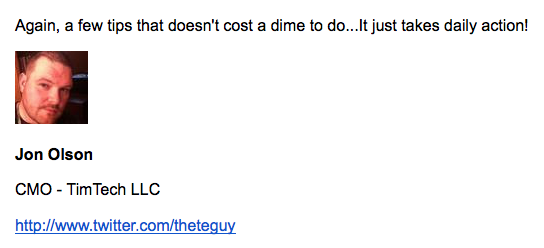
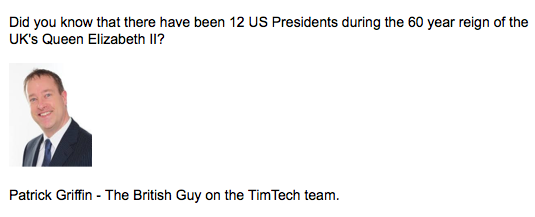
One way we do that at TimTech is by including our photographs on emails when we contact our subscribers.


Here are a couple of recent examples to show you what I mean:


Adding A Picture To Your Emails 1


Adding A Picture To Your Emails 2


Why not try the same thing for yourself.


Be yourself. Be personal. Show your subscribers that you care. Adding a picture to your emails is one way of doing just that.


Adding A Picture To Your Emails

The Long And The Short Of Writing Emails

Writing Emails


Generally when writing emails for your RocketResponder subscribers you will want to keep them short and to the point.


Give people small bite-sized chunks of information a piece at a time rather than the whole lot at once.


The advantage of this is that your entire message is more likely to be read and understood and you can send the information out as a series of emails on the same subject or theme.


People generally look forward to a series and will eagerly await the next installment when the subject matter is of interest to them.


So an email series of short emails is a great way of capturing people’s attention ahead of a product launch or building up to announcing a new product for example.


It is also good as a training or information series in its own right – remember the purpose of sending emails is more than just to gain sales.


Part of the purpose of sending out emails is to build up a rapport with your subscribes, establish yourself as the authority figure or expert and generally get them to like you.


So every now and again take the time to mix things up a bit and send out a longer email. Make it personal, about you.


You could share some of the things you like and dislike, talk about the highs and lows you have recently experienced or include some pictures of you on holiday or having fun.


Remember that you are more than just an expert in your given niche. You are also an individual and a human being so don’t be afraid to let people see the personal side of you, the real you.


Take time to talk about yourself and you will come across as a more rounded person and someone people will really want to get to know more.


Don’t overdo it though – if you are always talking about yourself then you will come across as self-centered and arrogant and you want to avoid that at all costs.


The Long And The Short Of Writing Emails